
97% of websites are invisible to AI agents today, which means most brands are still publishing pages that humans can read, but autonomous systems can't reliably parse, trust, or act on. That's the shift. If buyers start asking agents to research vendors, compare products, or complete purchases, unreadable pages become invisible revenue opportunities.
To prepare website for AI agents effectively, growth teams need to think in layers. Discovery, interpretation, action, measurement, and governance each need their own workstream. The sites that move first will look ordinary to human visitors and unusually legible to agents, which is exactly the point.
Table of Contents
- Why Most Websites Are Invisible to AI Agents
- The Four Building Blocks of Agent Discoverability
- Making Content Citable and Answers Quotable
- Exposing Machine-Readable Actions and APIs
- Measuring Agent Traffic Without Breaking Your Analytics
- Provenance, Privacy, and Governance for Agent Access
- Your 30/60/90-Day Agent Readiness Rollout
Why Most Websites Are Invisible to AI Agents
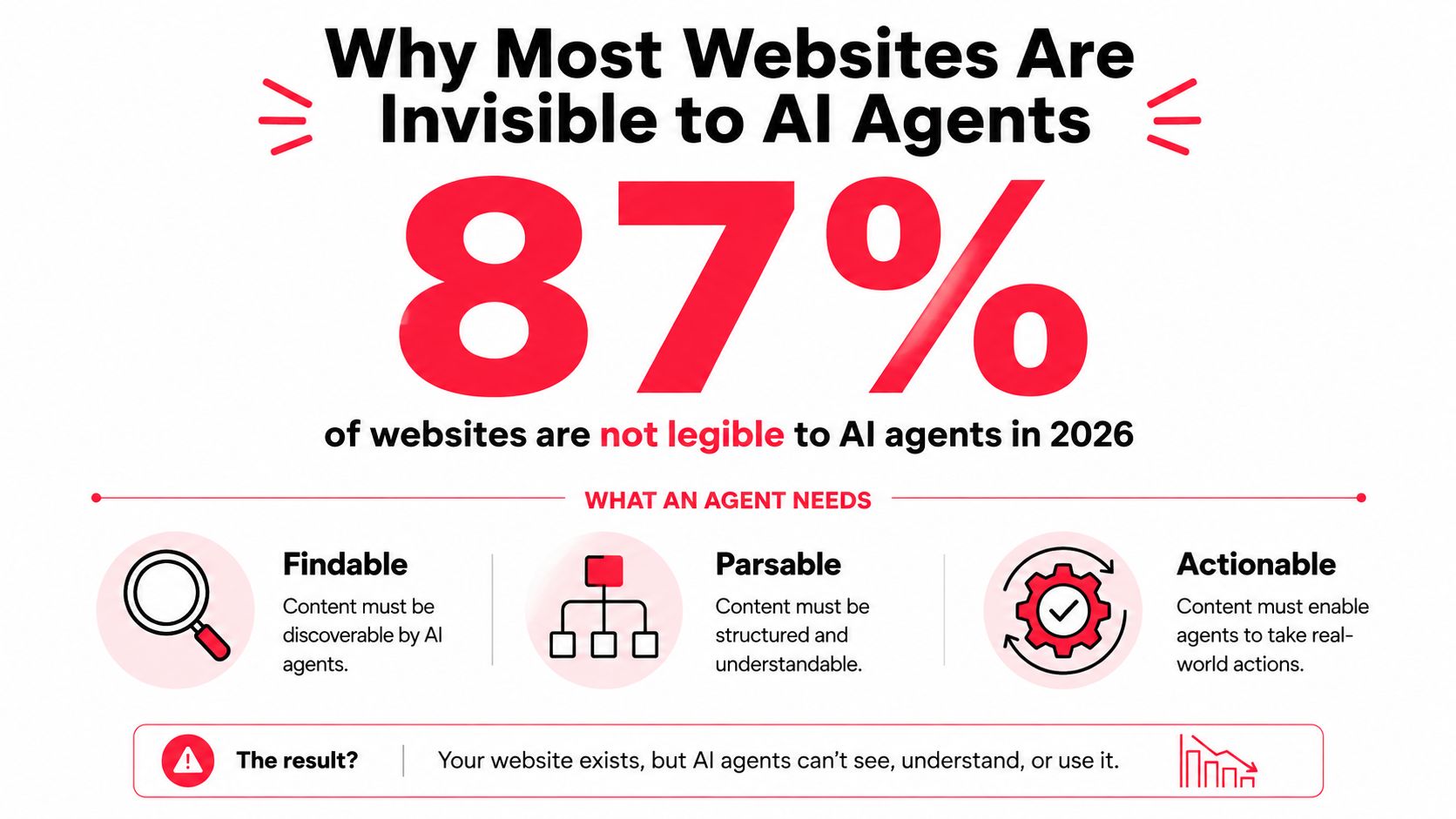
The cleanest way to think about agent readiness is simple. If a site is hard to read by software, it's hard for an agent to use. A 2026 AI readiness study reported that 97% of websites are invisible to AI agents (AI readiness report 2026). That's not a niche technical issue. It means the default web is still built for humans first.
A visible site gives an agent four things at once. It can find the right page, parse the structure without guesswork, understand the meaning of the content, and act on the page without getting trapped by hidden controls or unstable layouts. The same 2026 guidance points to semantic HTML, accessible DOM structure, explicit metadata, structured data, and a llms.txt file at the root as the practical ingredients of that visibility (AI readiness report 2026).
Practical rule: if a page depends on visual intuition to make sense, an agent will struggle on it.
That's why the old “good SEO” mindset only gets you part of the way. Traditional crawlers care a lot about indexability and links. Agents care about whether the page can support a task. They need clear labels, stable interactions, and content blocks that can be lifted into an answer without interpretation errors.
If you want a useful operational proxy, think about synthetic checks. A solid primer on the idea is what is synthetic monitoring, because agent readiness needs the same mindset, repeatable checks against a real journey, not a one-time audit. If an agent can't reach a pricing page, identify the offer, and complete the next step, the problem is business visibility, not just technical cleanliness.
Once agents are part of the buying process, unreadable pages behave like unranked pages did in 2010. They still exist. Buyers just don't see them.
The Four Building Blocks of Agent Discoverability
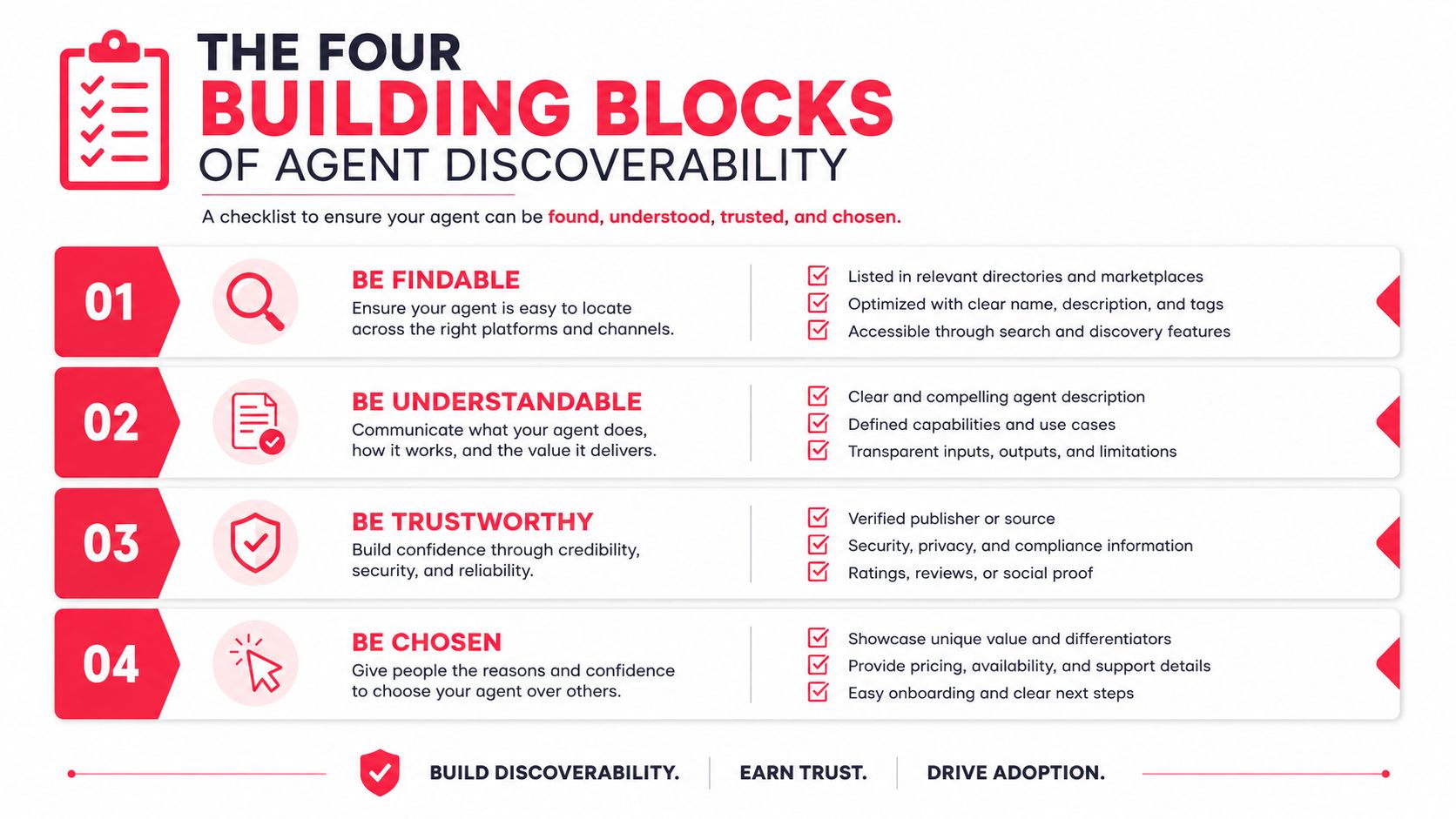
The fastest way to make a site legible is to ship the basics in order. Start with discovery, then interpretation, then action, then access. That sequence keeps teams from polishing schema while the site still blocks crawlers or hides controls behind generic markup.
1. llms.txt at the root
This is the first file I'd ship. A llms.txt file gives agents a reading list for the site, which is why the 2026 benchmark matters. 65% of top-100 sites were missing /llms.txt, adding it takes about 10 minutes, and 100% of top-100 sites in that benchmark failed to link agent files from their homepage (Agent readiness benchmark). That's a same-day fix.
2. JSON-LD schema for core page types
Publish structured data for Organization, FAQPage, Article, and HowTo. That gives agents stable facts they can interpret without guessing how a page is organized. A strong next move is to pair that schema with a page taxonomy your content team can maintain without engineering support.
3. Semantic HTML for the interaction layer
Replace generic controls with proper elements. Use <button> for buttons, <a> for links, and real form labels tied to inputs. If a page still depends on styled <div> blocks to look interactive, you're asking an agent to infer behavior from decoration.
4. robots.txt permissions and crawl rules
Give known AI crawlers explicit access where that makes sense, and keep blocked areas clearly blocked. Independent guidance on AI-ready sites also recommends crawlable, server-rendered HTML and schema markup so content can be categorized accurately (AI-ready website guidance).
A practical page stack for most growth sites looks like this:
- Homepage and pricing pages:
llms.txt, Organization schema, and crawl rules. - Product and feature pages: Article or HowTo schema where relevant.
- Support content: FAQ blocks that answer specific buyer objections.
- Public APIs or data feeds: a machine-readable index, if you have one.
If you only do one thing this week, ship
llms.txtand fix the top five pages that agents need to understand first.
For teams that want a tactical reference point, Stimulead also publishes a guide on optimize content for LLMs, which fits well beside this foundation work. Another helpful cross-check is optimize your site for AI summary results, because the same structural clarity helps both summaries and agent retrieval.
Making Content Citable and Answers Quotable
A page can be readable and still be poor source material. Agents cite blocks that are short, declarative, and fact-dense. They struggle when the page buries the answer inside a long sales narrative, a carousel, or a pile of marketing adjectives that never name the constraint.
Write for retrieval, then persuasion
FAQ blocks help because they mirror the way users ask questions. Definition paragraphs help because they turn abstract product language into a clean statement. Comparison tables help because they isolate choices without forcing the agent to infer meaning from design.
For a SaaS pricing page, I'd rewrite the plan section so an agent can answer a simple buyer question like “which plan fits a 50-person team” from the page itself. That means one plan summary, one clear inclusion block, one constraint block, and one explicit upgrade path. The writing should say what the plan includes, what it excludes, and who it is for.
Expose the answer shape
There's a difference between content that sells and content that can be quoted. The second needs compact statements such as:
- Plan fit: “Built for teams that need multi-seat access and shared workflows.”
- Constraint: “Self-serve setup only.”
- Outcome: “Best for teams that want to start without procurement.”
Those are the kinds of lines agents can extract into recommendations without hallucinating the gap between pages.
If you want a model for answer-oriented formatting, the article structured data for AI Overviews in 2026 is a useful companion read. It maps well to the same principle, make the answer easy to retrieve and hard to misread.
Practical rule: if a sentence can't stand alone as a citation, rewrite it.
For actionability, the page should also point to machine-readable paths. That can mean a public API, an OpenAPI spec, or a form that's built with clear labels, predictable fields, and obvious success states. If the agent can find the right answer and the right next step on the same page, conversion friction drops fast.
Stimulead's work on AI search optimization, CRO with AI, GTM engineering, and agent commerce readiness sits exactly in this gap. The key win is when content, markup, and offer structure all point toward the same buying action.
Exposing Machine-Readable Actions and APIs
Once an agent can read the site, the next question is whether it can complete a task. That means your team needs to think beyond pages and into endpoints, state changes, and transaction paths. A readable catalog that dead-ends at a form is still only half ready.
Publish the actions an agent can safely use
The cleanest public layer starts with an OpenAPI spec for any endpoint that matters to discovery or buying. If you expose public inventory, pricing, product availability, store hours, booking slots, or support lookup data, the spec should be precise enough for a machine to use without scraping your app shell. The same logic applies to internal tools exposed through an authenticated surface later.
For teams shipping a quarter's worth of work, I'd prioritize three items:
- A public spec for read-only data
- A machine-readable pricing or inventory endpoint
- A submission path with explicit success and error states
That's the order because agents need trusted facts before they can attempt a transaction. Once the data layer is stable, the interaction layer becomes much easier to reason about.
Fix the interface the agent touches
Google's web.dev guidance is the most useful practical checklist I've seen for this layer. It recommends stable layouts, semantic HTML, clear cursor and pointer signals, labels tied to inputs, avoiding ghost overlays, larger interactive targets, and visible state changes (AI agent site UX). It also warns that interactive targets smaller than 8 square pixels can be filtered out by agents using visual analysis (AI agent site UX).
That threshold matters because teams often assume a control is fine if a human can click it. Agents don't work from the same assumptions. If a button is visually tiny, hidden behind animation, or obscured by an overlay, the agent may treat it as non-actionable.
A quick diagnostic I use on the top five conversion pages is simple:
- Screen reader pass: read the page top to bottom and check whether the action flow still makes sense.
- Accessibility tree pass: inspect whether buttons, links, and forms appear as real interactive objects.
- Overlay pass: verify that sticky banners, modals, and chat widgets aren't blocking key controls.
- State pass: confirm that success, error, and loading states are visible without JavaScript guesswork.
The same page structure also benefits from accessible forms. Linked labels reduce ambiguity, stable fields reduce parsing errors, and visible validation states stop an agent from submitting twice. If you run e-commerce or lead capture, those details protect conversion rate and keep your funnel from breaking under automation.
Decide what belongs behind auth
Independent guidance on AI-readiness says agents need crawlable, server-rendered HTML and structured data such as Schema.org, while FAQ-style blocks stay especially useful for retrieval (AI-ready website guidance). The same principle applies to actions. Public read paths should stay public. Write paths, identity-sensitive paths, and anything tied to customer data should require controlled access.
For a product-led SaaS site, that often means publishing read-only pricing and feature data while keeping account actions behind authentication. For commerce, it often means exposing catalog and availability while gating checkout or personalized offers.
The internal resource at https://stimulead.com/llms-txt/ fits well here if your team needs a practical pattern for the discovery layer before moving into action endpoints.
Measuring Agent Traffic Without Breaking Your Analytics
Agent traffic needs its own reporting lane. If you mix it with normal session data, your conversion rate can get noisy fast. That's why practitioner guidance now calls for segmenting traffic into LLM-referred humans, non-LLM humans, and AI agents so KPI dashboards stay clean (Quantum Metric).
Track three groups, not one
The segmentation model is straightforward. LLM-referred humans are people who arrive after an AI tool points them to your site. Non-LLM humans are your standard traffic. AI agents are automated systems acting on behalf of users or carrying out tasks directly.
Here's a practical dashboard frame a CMO can use without explaining the terminology to a board:
| Segment | How to Identify | Primary KPI |
|---|---|---|
| LLM-referred humans | Referrer patterns, landing-page behavior, assisted paths | Assisted conversion rate |
| Non-LLM humans | Standard web analytics logic | Core conversion rate |
| AI agents | Agent user agents, task signatures, citation events, assisted journeys | Completed agent journey |
Log the events that matter
The main event types I'd capture are simple. First, agent identification, so you know when a visit is machine-driven. Second, citation or source selection events, so you can tell whether your page was used in an answer. Third, assisted journey completion, so you know whether the agent found the product, added it to cart, or submitted the form.
Snowplow's practitioner guidance makes the same point from a measurement angle, with a push to identify AI agents, analyze journeys, and track where they find products, add to cart, and check out (Snowplow guidance). That matters because agent traffic can distort analytics unless the dashboard separates assisted revenue from direct human conversion.
Practical rule: if you can't split agent-assisted revenue from human revenue, you can't tell whether your AI work is helping or just adding noise.
The right monthly view is three rows and three trends. Traffic. Conversion. Revenue contribution. Add a note on the most common failure point, and you give leadership a clean narrative instead of a mystery spike in sessions.
Provenance, Privacy, and Governance for Agent Access
Agent access creates a policy question the moment it becomes useful. If a system can read your pages and hit your endpoints, you need to be clear about attribution, consent, and what happens when the agent acts on behalf of a user. A messy permission model will create more risk than revenue.
The decision framework is simple. Public pages, public prices, and public inventory belong in the open if they're meant to support discovery. Customer-specific data, PII, and authenticated workflows stay behind access controls. If a page or endpoint can affect an account, it should have a clear authorization path and an audit trail.
What legal and security need to see
A one-page governance checklist is enough to start:
- Content provenance: know where public facts come from and who owns updates.
- Access rules: define which crawlers, agents, or authenticated tools can read or write.
- Consent: confirm how user permission is captured when an agent acts for someone.
- Rate limits: cap automated access so traffic doesn't crowd out normal users.
- PII handling: keep personal data out of public read surfaces unless there's a real reason to expose it.
Cloudflare's agent readiness material goes deeper into access control, auth discovery, and commerce standards, and it's a useful reference point when your team starts thinking about who can see what (Cloudflare agent readiness). For a broader policy lens, Stimulead's internal guide on AI governance best practices pairs well with legal review and security sign-off.
The most important governance mistake is treating agent access like a yes-or-no switch. It's a spectrum. Some content should be widely discoverable. Some should be discoverable only after auth. Some should never be reachable by automated systems at all.
Your 30/60/90-Day Agent Readiness Rollout
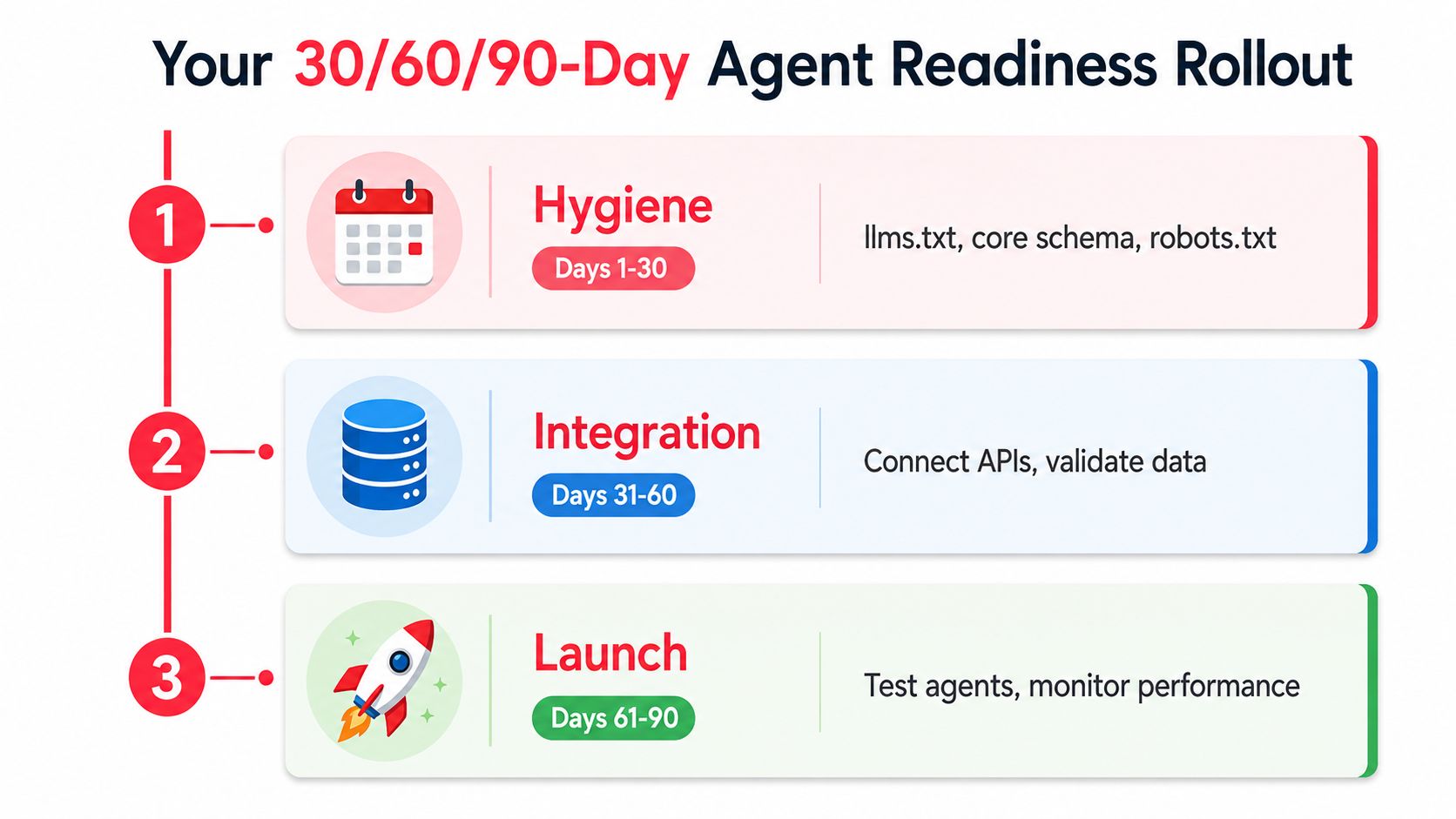
The fastest rollout is staged. Week one is hygiene. Month one is discoverability. Month three is where you start proving revenue impact. That keeps the project small enough to ship and big enough to matter.
Days 1 to 30
Ship the basics first. Add llms.txt, publish core schema, confirm robots.txt permissions, and run a baseline crawl report for your top pages. If your homepage, pricing page, and key product pages are still opaque, nothing else matters yet.
Days 31 to 60
Move into actionability. Rewrite the top three conversion pages with semantic HTML, expose one machine-readable endpoint, and deploy the three-segment analytics split. CRO teams start to see whether agent traffic is finding the right paths or stalling on hidden controls.
Days 61 to 90
Scale the work that touches revenue. Run AEO testing on your priority queries, pilot one agent-friendly transaction, and package the results into a board-ready KPI summary. The goal is to show where agents are helping discovery, where they're completing transactions, and where the site still needs cleanup.
| Phase | Focus | Deliverables | Success Metric |
|---|---|---|---|
| Days 1 to 30 | Hygiene | llms.txt, schema, robots.txt, baseline crawl report |
Core pages are readable by agents |
| Days 31 to 60 | Integration | Semantic HTML fixes, one endpoint, analytics split | Agent journeys can be measured cleanly |
| Days 61 to 90 | Launch | AEO tests, one transaction pilot, KPI summary | One revenue path is agent-ready |
If you want the shortest next step, book a one-hour audit of your top ten pages against the discoverability checklist above. A good audit will tell you which pages are invisible, which ones are citable, and which transactions are close enough to ship this quarter.
If you're responsible for revenue, ask your team to audit the homepage, pricing page, and top two conversion paths this week. Start with llms.txt, core schema, semantic controls, and one measurable transaction. Then review the results with marketing, product, and analytics together, because agent readiness only matters when it changes pipeline or closed revenue.