
Many involved in Agents AI focus on time saved, which misses the point. The market is telling a different story. The global AI agents market rose from about $3.7 billion in 2023 to a projected $5.4 billion in 2024 and roughly $7.6 billion by 2025, with projections around $47–50 billion by 2030 and above $100 billion by 2032 according to this market roundup. That kind of adoption doesn't happen because companies want prettier task lists. It happens because leaders expect commercial advantage.
I've found that CEOs, CMOs, and CROs get more value when they stop asking, “Where can we automate work?” and start asking, “Where can an agent move pipeline, conversion, or deal velocity?” That shift changes everything. It changes which workflows you pick, how you measure success, and how much autonomy you allow.
If you run a growth-stage company, Agents AI belongs inside your GTM system. CRO. GTM engineering. AI search optimization. Agent commerce readiness. Those are the areas where the payoff gets real, and where sloppy implementation gets expensive fast.
Table of Contents
- Your Team Is Thinking About Agents AI Wrong
- What AI Agents Are in Business Terms
- Where to Deploy AI Agents in Your GTM Engine
- The Real ROI Measuring Agent Performance
- Managing Commercial Risk and Agent Governance
- An Actionable Roadmap to Get Started
- Your Toughest Questions Answered
Your Team Is Thinking About Agents AI Wrong
The biggest mistake I see is treating Agents AI like a labor reduction project. That framing pushes teams toward low-value wins. They build internal helpers, summarize meetings, and automate admin. Useful, yes. Material to revenue, usually no.
Commercial leaders should care about whether an agent changes buyer movement. Does it create more qualified pipeline? Does it move accounts through stages faster? Does it improve conversion on pages, ads, email sequences, demos, and follow-up? If the answer is unclear, the workflow probably shouldn't be first in line.
Practical rule: If an agent can't be tied to a revenue-stage KPI, it's still an experiment.
Many internal AI programs often stall due to this dynamic. The operators doing the work are excited because the workflow feels faster. The executive team stays skeptical because the scorecard is vague. Both sides are right. Faster work only matters when it creates more selling activity, more testing throughput, better targeting, or stronger buying intent.
Three reframes help:
- From productivity to throughput: Measure whether your team can launch more tests, follow up with more qualified accounts, or produce more sales-ready research.
- From copilots to workflows: A single prompt is rarely the value. The value sits in the sequence of actions across CRM, data sources, content, and outreach.
- From novelty to operating model: Agents need ownership, monitoring, and limits. Otherwise they turn into demos that never leave the sandbox.
For growth leaders, the point isn't to “adopt AI agents.” The point is to put Agents AI where your GTM machine already leaks money. Slow qualification. Weak follow-up. Thin personalization. Under-tested pages. Poor visibility in AI answer engines. Those are revenue problems. Agents are useful when they attack those directly.
What AI Agents Are in Business Terms
Think of an agent like a new hire with tool access
The simplest business definition is this. An AI agent is a digital worker with a job description, a set of tools, and a goal. Its brain is an LLM. Its value comes from taking actions across systems instead of only generating text.
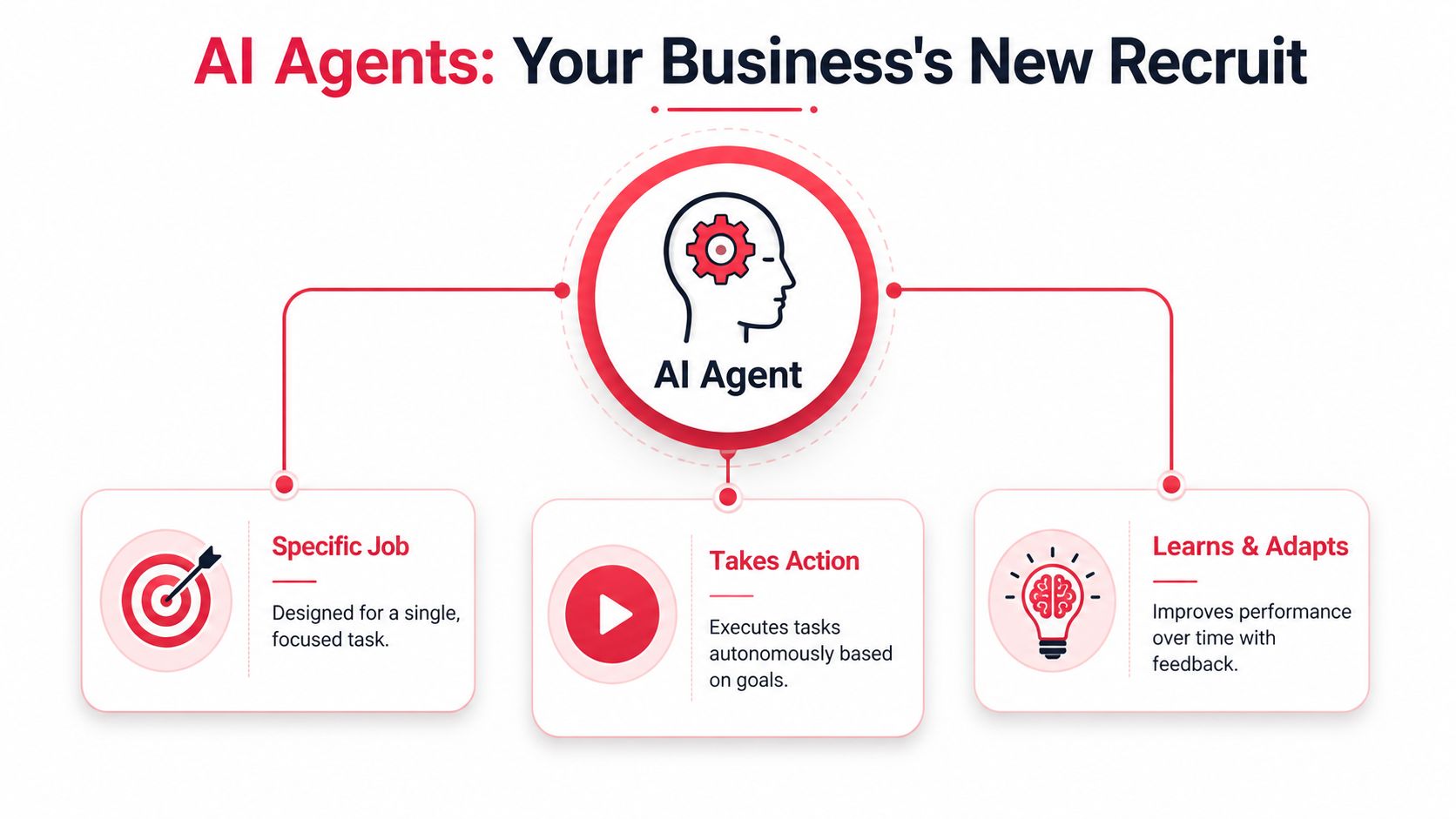
In technical terms, AI agents use a control-flow architecture where the model decides the next action, such as calling a tool, querying a database, or replying to a user. A 2024 LangChain report found 58% of practitioners use agents for research and summarization, which is exactly why they fit knowledge-heavy GTM work like positioning, message development, prospect research, and competitive analysis.
That matters more than the jargon. Once the model can choose the next step, it can handle branching work. It can pull CRM context, enrich an account, draft personalized outreach, check for missing data, and route the output for review. A chatbot doesn't do that well. An agent can.
If you want a deeper primer on how reasoning and decision loops work in practice, learn about autonomous AI from DialNexa. It's a useful companion read for leaders who need to evaluate vendor claims without getting buried in research language.
Assistant vs autonomous agents at a glance
Most commercial deployments fall into two buckets. Keep the distinction clear, because governance, ROI, and risk tolerance change based on the type.
| Attribute | Assistant Agent | Autonomous Agent |
|---|---|---|
| Control | Human approves key outputs | System executes defined workflow steps on its own |
| Best use | Research, drafting, prep work, recommendations | Lead routing, enrichment, segmentation, triggered follow-up |
| Tool access | Limited and supervised | Broader, permissioned access across systems |
| Error tolerance | Higher, because a person reviews before action | Lower, because actions can hit customers or data directly |
| Memory needs | Session-level context is often enough | Persistent memory is usually needed across steps |
| GTM fit | Sales assist, copy support, insight prep | GTM engineering, campaign orchestration, agent commerce tasks |
A simple rule helps here:
- Use assistant agents when judgment is still the bottleneck.
- Use autonomous agents when repetition and handoffs are the bottleneck.
Give an agent the same scope you'd give a new hire on week one. Earn broader access through observed performance.
That mindset keeps teams out of trouble. Start with narrow goals, explicit permissions, and visible logs. Then expand.
Where to Deploy AI Agents in Your GTM Engine
The best first deployments sit inside repetitive, multi-application work. IBM's guidance is directionally right here: agents produce the strongest return when they replace structured workflows across multiple systems, and requests with multiple tool calls can increase latency by 2–5x while reducing human effort by up to 80% in workflows like lead qualification or campaign orchestration, according to IBM's overview of AI agents.
That trade-off is acceptable in GTM if the workflow is expensive by hand and the delay doesn't hurt buyer experience.

Marketing workflows that benefit first
In marketing, I'd start where your team already has a backlog.
A landing page agent can pull page data, review search intent, compare current copy to winning themes, draft new variants, and queue them for approval. That doesn't remove the strategist. It removes the waiting. Teams doing CRO with AI often discover that the actual bottleneck isn't ideas. It's the handoff between research, copy, design, setup, QA, and launch.
Useful early deployments include:
- CRO testing support: Generate variant hypotheses, draft copy, and prepare test briefs tied to a page goal.
- Content repurposing: Turn one webinar, customer interview, or sales call into email, ad, and sales-enablement assets.
- Campaign QA: Check links, compliance language, UTMs, offer consistency, and CRM tagging before launch.
For operators exploring deeper examples, this roundup of AI agent use cases for marketing and sales is a strong place to compare workflows by GTM function.
Sales and GTM engineering use cases
Sales teams usually get value faster from research and qualification than from full outbound autonomy.
A practical sequence looks like this: an agent watches inbound form fills or target-account triggers, pulls company data, checks CRM history, summarizes likely pain points, drafts a first outreach angle, and scores whether the account deserves rep time. Reps still control the final send at first. That's fine. It keeps quality high while the team learns where the model is strong and where it misses context.
This is also where GTM engineering becomes a real advantage. The company that connects CRM data, enrichment tools, knowledge bases, and messaging rules into one agent workflow will outperform the company that asks a generic model for “personalized email ideas.”
AEO and agent commerce readiness
AI search optimization is moving from content formatting to answer eligibility. Your prospects are starting to ask AI systems which vendor to choose, which software fits their stack, or which service provider meets a specific requirement. Agents can help by auditing content gaps, rewriting pages for answer clarity, structuring product information, and spotting where your brand is missing from common recommendation paths.
Here's a useful walkthrough on the commercial shift this creates:
Then there's agent commerce readiness. Buyers will increasingly use their own agents to compare vendors, validate claims, and filter options before a human call happens. That means your product data, pricing logic, policy clarity, and proof assets need to be machine-legible. Companies that prepare now will be easier for both human buyers and buyer-side agents to transact with.
The Real ROI Measuring Agent Performance
Time saved is weak unless it converts to revenue
“Time saved” sounds good in a board update. It usually falls apart under scrutiny.
There's a documented gap between AI adoption and measurable business performance. Google's overview notes that while 58% of companies use agents for research, there's still little evidence tying those activities directly to pipeline or revenue, which leaves leaders struggling to justify spend and pressure-test vendor claims in commercial teams, as discussed in Google Cloud's explainer on AI agents.
That's why I treat time as an input metric, not an outcome metric. If your SDR saves time researching accounts but still works the same number of opportunities, nothing changed financially. If your marketing team drafts assets faster but launches the same number of tests, same problem.
You don't have an ROI story until an agent changes volume, speed, quality, or conversion inside the funnel.
If you want a practical framework for instrumentation, this guide on how to track AI automation ROI is worth reviewing before your next pilot.
The KPI stack that matters
Use a short KPI stack and force every agent project into it.
| KPI | What to measure | Why it matters |
|---|---|---|
| Pipeline velocity | Time between lead creation, qualification, meeting, proposal, and close | Shows whether agents remove friction across stages |
| Conversion rate | Lift at the page, email, meeting-booked, or stage-to-stage level | Tells you whether output quality improved |
| Cost per acquisition | Changes in human effort, vendor cost, and wasted spend per acquired customer | Prevents “efficient” workflows that are actually expensive |
| Sales capacity | Rep time moved from admin to live selling activity | Useful if it leads to more pipeline coverage |
| AEO share of voice | Whether your brand appears in AI-generated recommendations for high-intent prompts | Early signal for AI search visibility |
| Agent quality score | Accuracy, approval rate, rework rate, and escalation frequency | Shows whether autonomy should expand or contract |
Two implementation notes matter.
First, compare against a clean baseline. If your baseline is messy, your pilot will tell a nice story and teach you very little.
Second, score the workflow, not the model in isolation. A strong model inside a weak workflow still loses. Missing data, bad routing rules, vague prompts, and poor approvals are what usually sink commercial agent projects.
Managing Commercial Risk and Agent Governance
The risks that matter in revenue teams
Commercial risk from Agents AI usually lands in three buckets.
The first is financial risk. An agent with wide tool access and weak stopping rules can generate unnecessary API calls, duplicate work, or route bad leads into paid workflows. The bill grows before anyone notices.
The second is brand risk. If an outreach agent drifts from your approved claims, tone, or offer rules, you create avoidable damage in customer-facing channels. Revenue teams often underestimate this because the first draft looks good. The problem usually appears in edge cases.
The third is data risk. Agents touching CRM records, call transcripts, pricing notes, or support history need boundaries. Access should be role-based and narrow.
Research on commercial AI governance makes the right point: effective oversight requires operational controls such as agent identifiers, traceability tools, versioned policies, and human escalation paths, as outlined in this R Street analysis. For a more applied GTM view, these AI governance best practices for revenue teams are worth folding into your rollout plan.
The guardrails I'd put in place first
Don't start with an ethics memo. Start with operating controls.
- Permission boundaries: Give each agent the minimum tool access needed for its job. A research agent doesn't need send permissions.
- Policy versioning: Store prompts, routing rules, and approval logic like code. When output quality drops, you need a clear change history.
- Escalation rules: Define when the agent must stop and hand off to a person. Pricing exceptions, legal claims, and sensitive customer scenarios should never be ambiguous.
- Logging: Keep tool-call history, input context, output versions, and approval actions. If revenue is affected, you need to know what happened.
- Budget controls: Put spend ceilings, rate limits, and usage alerts around each production workflow.
Fast teams govern early. Slow teams wait for the first mistake, then overcorrect with blanket restrictions.
One more point matters. Governance should be owned by the business and implemented with technical support. If governance lives only in IT, the rules become generic. If it lives only in marketing or sales, the controls tend to be weak. Commercial agents need both.
An Actionable Roadmap to Get Started
The cleanest rollout follows three phases. Audit. Pilot. Scale. Anything bigger at the start usually creates noise.

Audit
Start by reviewing workflows, not tools.
The best early candidates are highly verifiable. MindStudio's framework gets this right: good agent tasks are those where you can check the output without redoing the work, there are explicit success criteria, and the cost of an undetected mistake is manageable, based on its domain verifiability framework.
Use these filters:
- High volume: The task happens often enough to matter.
- Clear success criteria: The team agrees on what good output looks like.
- Contained downside: A miss creates rework, not a legal or commercial mess.
- Multi-step workflow: The work spans systems or handoffs, which is where agents beat one-off prompts.
A readiness review helps here. This AI readiness assessment for GTM teams is the kind of exercise I'd run before choosing a platform.
Pilot
Run one pilot with one owner and one KPI stack.
Good pilot examples include inbound lead qualification, sales research prep, landing page test generation, or AEO content audits. Keep the scope narrow. Define the inputs, outputs, approvals, failure cases, and success threshold before launch.
When you evaluate build options, ask practical questions:
| Question | Why it matters |
|---|---|
| Can we inspect tool calls and logs | You'll need this for debugging and governance |
| Can permissions vary by agent role | Shared access creates unnecessary exposure |
| Can we swap models later | This reduces lock-in risk |
| Can we measure workflow cost per run | Finance will ask sooner than you think |
| Can non-engineers update policies safely | GTM teams need controlled flexibility |
If you're comparing vendors, this list of top AI agent platforms for 2026 is a useful starting point for market scanning. Use it as a shortlist input, not a buying decision.
Scale
Scale only after the workflow proves stable.
That means the agent performs consistently, the approvals are clear, the team trusts the output, and the KPI movement is real. Then you can expand tool access, increase autonomy, or replicate the pattern into adjacent workflows.
Three scaling moves tend to work:
- Move from single-agent tasks to connected workflows across CRM, content, and routing.
- Build reusable policies for tone, compliance, and escalation.
- Add observability early so quality doesn't degrade.
Start with one painful workflow that your team already wants fixed. The right pilot earns political capital for the next three.
Your Toughest Questions Answered
What does a commercial agent really cost
More than the software license. Total cost includes model usage, workflow orchestration, monitoring, QA time, prompt and policy maintenance, and the internal owner who keeps the system reliable. If the workflow touches revenue, treat operating cost per run as a tracked metric from day one.
Cheap pilots often become expensive because nobody priced the human review layer or the cleanup work after weak outputs.
Will agents replace strong GTM talent
The good people get more valuable.
Strong marketers, sales leaders, and GTM operators know where judgment matters. They know which signals are noise, which accounts deserve custom treatment, and when a message is off. Agents compress the repetitive parts. The best humans spend more time on offers, objections, buying committees, and experiment design.
Weak process work disappears first. That's different from replacing top performers.
How do you avoid vendor lock-in
Buy the workflow, not the demo.
Pick tools that let you inspect logs, control permissions, export data, and switch models without rebuilding everything. Keep your prompts, policies, taxonomy, and success criteria outside any one vendor where possible. Your strategic asset isn't the platform. It's the operating system you build around your GTM process.
If you're deciding where to start, begin with one revenue workflow that is repetitive, measurable, and easy to verify. That's where Agents AI earns trust fastest.
If you want a practical next step, start with a focused audit of one GTM workflow in CRO, GTM engineering, AEO, or agent commerce readiness. Stimulead helps growth leaders turn that audit into a roadmap, a measured pilot, and production oversight without turning the process into a science project.